
Table of Contents
- Introduction
- Quick Answer
- What Office Network Cabling Actually Is
- Why This Matters More in 2026
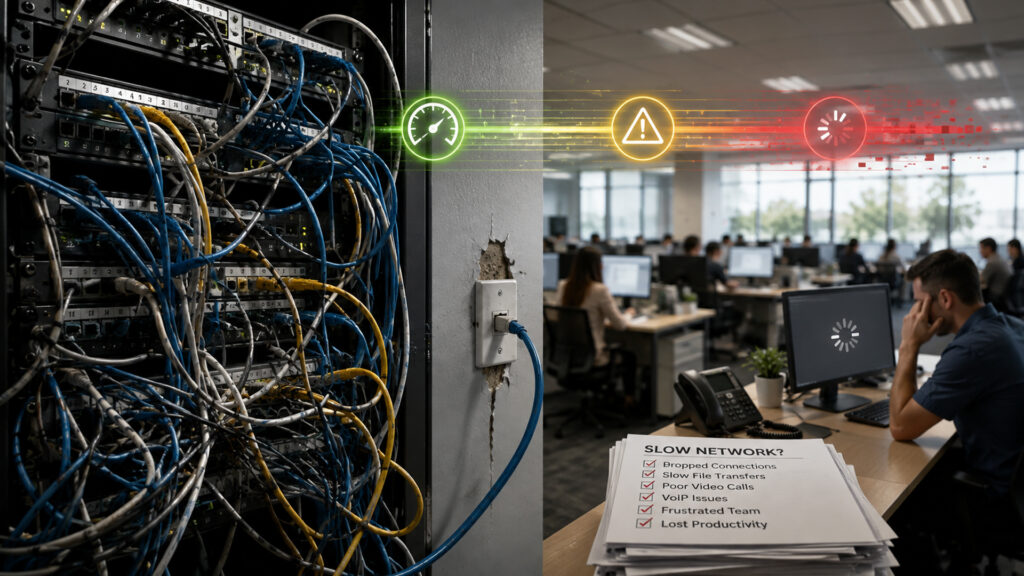
- Signs Your Cabling Is Holding You Back
- What Outdated Cabling Costs You
- How a Cabling Upgrade Works
- Where This Shows Up Across Industries
- Frequently Asked Questions
- Key Takeaways
- Ready for a Cabling Assessment?
Introduction
Your team’s laptops are fast. Your software is modern. So why does the internet still crawl every afternoon when the whole office logs on at once? For a lot of Jacksonville businesses, the bottleneck isn’t the internet plan or the Wi-Fi router. It’s what’s behind the walls: the network cabling nobody thinks about until it fails.
Office cabling doesn’t announce itself the way a broken air conditioner does. It just quietly costs you time, all day, every day, until someone finally traces a “mystery” slowdown back to a cable that was never rated for the job it’s doing now. In 2026, with more devices, more cloud tools, and more security cameras and access control systems running over the same network, aging or mismatched cabling shows up faster and hurts more.
This guide walks through the signs your cabling is due for an upgrade, why it matters more this year than in years past, and what a proper voice and data wiring project actually involves.
Quick Answer
- Frequent dropped connections, slow file transfers, and inconsistent Wi-Fi in parts of the office often point to aging or damaged cabling, not your internet provider.
- Cat5e cabling installed a decade ago struggles to keep up with 2026 workloads: cloud apps, video calls, VoIP phones, and networked security systems.
- A structured cabling upgrade, usually Cat6 or better, improves speed, reliability, and room to grow, and it typically pays for itself in reduced downtime and support calls.
- The right fix depends on your building’s age, layout, and how your network has grown over time, which is why a cabling assessment should come before any purchase.
What Office Network Cabling Actually Is
Network cabling, sometimes called structured cabling or voice and data wiring, is the physical backbone that carries your internet connection, phone system, and internal network traffic from your router or switch to every desk, conference room, and device in your office. It includes the cable itself, usually Cat5e, Cat6, or Cat6a (category ratings set by industry cabling standards), the patch panels, the wall jacks, and the closet where it all comes together.
Most business owners never see this infrastructure and rarely think about it, which is exactly the problem. Wi-Fi gets blamed for slowdowns that actually start at the wall jack. A “bad internet day” is sometimes a cabling problem wearing an internet problem’s name.
Why This Matters More in 2026
A few things have changed that make outdated cabling a bigger liability than it used to be:
- Cloud dependency. Most day-to-day work, from file storage to accounting software, now runs through the cloud, so your internal network has to move more data, more constantly, than it did five years ago. That same strain is a big part of why slow business internet has become such a common complaint on its own.
- Video and VoIP everywhere. Video calls and VoIP phone systems are sensitive to even small amounts of packet loss or latency, both of which get worse on old or damaged cabling.
- More connected devices per person. Laptops, phones, tablets, and networked printers all compete for the same bandwidth, and cabling rated for a lighter era starts to show strain.
- Security systems on the network. Video surveillance and access control increasingly run over the same cabling as your data network, adding load and making a cabling failure a security issue, not just an inconvenience.
- Remote and hybrid work. Hybrid teams lean harder on video conferencing and cloud collaboration tools when they are in the office, which raises the bar for what your internal network needs to handle.
Signs Your Cabling Is Holding You Back
Not every slowdown is a cabling issue, but a pattern of these signs is worth investigating:
- Wi-Fi or wired connections that drop in the same spots in the office, regardless of which device is used.
- File transfers or backups that take noticeably longer than they should for your file sizes and internet speed.
- Video calls that freeze or drop audio for people in certain rooms but not others.
- Frequent need to reboot switches, routers, or specific ports to restore a connection.
- Visible cable damage, exposed wiring, or a server closet that looks like it grew organically over the years rather than being planned.
- IT support tickets that keep referencing the same jack, port, or section of the office.
- Recent renovations, new hires, or new equipment that pushed your network past what it was built to handle.
What Outdated Cabling Costs You
It is easy to treat a slow connection as a minor annoyance. Added up across a team, it rarely is.
- Lost productivity. Minutes lost to buffering, dropped calls, and reconnecting add up fast across a full team and a full week.
- Support costs. Recurring “it’s slow again” tickets take IT time away from work that actually moves the business forward.
- Security exposure. Cabling issues sometimes mask deeper network problems, including outdated infrastructure that is harder to monitor and secure.
- Growth limits. Undersized cabling makes every future addition, whether it is a new hire, a new access point, or a new security camera, harder and more expensive to install cleanly.
- Reputation risk. Dropped client calls and laggy video meetings are small things that add up to a big impression, especially with clients who compare you to competitors who don’t have the problem.
How a Cabling Upgrade Works
A structured cabling project generally moves through a few clear stages.
Step 1: Assessment. A technician walks the space, reviews existing cabling, and identifies where speed, distance, or damage limits are being hit. This step also checks whether the closet, patch panels, and switches can support an upgrade or need attention too, similar in spirit to a broader network assessment, just focused specifically on the wiring layer.
Step 2: Design. Based on the assessment, a cabling plan is mapped out that accounts for current needs, workstations, phones, access points, cameras, and near-term growth, so the business isn’t back in the walls again in two years.
Step 3: Installation. New cabling, usually Cat6 or Cat6a for most offices, is run to the agreed locations, terminated properly at both ends, and labeled so future troubleshooting is fast instead of guesswork.
Step 4: Testing. Every run is tested for performance before anyone calls the job done. This step catches bent pins, marginal connections, and mislabeled runs before they become support tickets.
Step 5: Documentation and Handoff. A clean cabling project includes a map of what was installed and where, so the next IT project, whether it’s a new phone system or a security camera install, starts from a known baseline instead of another mystery closet.
Where This Shows Up Across Industries
Cabling problems don’t stay in one department. Law firms lose time on dropped video depositions. Healthcare offices see slowdowns during patient record lookups at the worst moments. Retail locations struggle with point-of-sale systems that hesitate during checkout. Financial firms feel it during high-volume reporting periods. Manufacturing floors add cameras and sensors faster than old cabling was built to support. The businesses in the Jacksonville area that outgrow their cabling tend to look very different from each other, but the symptoms rhyme.
Frequently Asked Questions
If the same rooms or jacks have problems regardless of which device connects, or if wired connections are slow even when the internet plan tests fine at the router, the cabling itself is worth investigating before you upgrade your internet plan.
Cat5e can still work for light use, but most offices running cloud applications, VoIP, and video conferencing benefit from Cat6 or Cat6a, which support higher speeds and hold up better over longer cable runs.
Most cabling projects can be scheduled around business hours or after hours to minimize disruption, and a good provider will phase the work so parts of the office stay connected throughout.
Cost depends on the size of the space, the number of drops needed, and the condition of existing infrastructure. A cabling assessment gives a specific number instead of a rough guess.
Yes. Unlabeled, undocumented cabling makes it harder to know what is connected to your network, which makes it harder to spot unauthorized devices or isolate a security incident quickly.
Not always. A small addition might be fine on existing cabling. An assessment is the fastest way to know whether existing runs have room or whether you are close to a bottleneck.
Key Takeaways
- Persistent, location-specific network problems usually point to cabling, not your internet plan.
- 2026 workloads (cloud apps, VoIP, video, security systems) put more strain on cabling than office networks carried a few years ago.
- A cabling assessment is a low-risk first step that turns guesswork into a clear plan.
- Properly installed and documented cabling reduces support tickets and makes future IT projects faster and cheaper.
Ready for a Cabling Assessment?
If your team has been quietly working around network slowdowns, it might be time to find out what’s really behind them. Total Business Systems has been installing and troubleshooting voice and data wiring for Jacksonville businesses since 1991, and our team can assess your current setup and lay out exactly what an upgrade would involve.
Schedule a Free IT Assessment to get a clear answer on what’s slowing your network down. Explore our voice and data wiring and managed IT services to see how a cleaner network foundation supports everything else we do, including cybersecurity.