
Table of Contents
- Where the Windows 10 ESU Program Stands Right Now
- What Year Two Actually Costs
- What Extended Security Updates Do and Don’t Cover
- Three Paths Forward From Here
- What Happens If You Do Nothing
- How to Decide This Quarter
- Frequently Asked Questions
- Key Takeaways
- Next Steps
Introduction
Windows 10 stopped receiving free security updates on October 14, 2025. If your business paid for Year One of Extended Security Updates (ESU) to buy time, that coverage runs out on October 13, 2026, and Year Two is now the only way to keep those machines patched.
Year Two costs double what Year One did. For a business still running a meaningful number of Windows 10 devices, that’s the moment to make a real decision rather than quietly renewing again.
This guide covers what Year Two costs, what ESU does and doesn’t protect against, and how to decide whether to pay, replace, or migrate before the next renewal catches you off guard.
Quick Answer
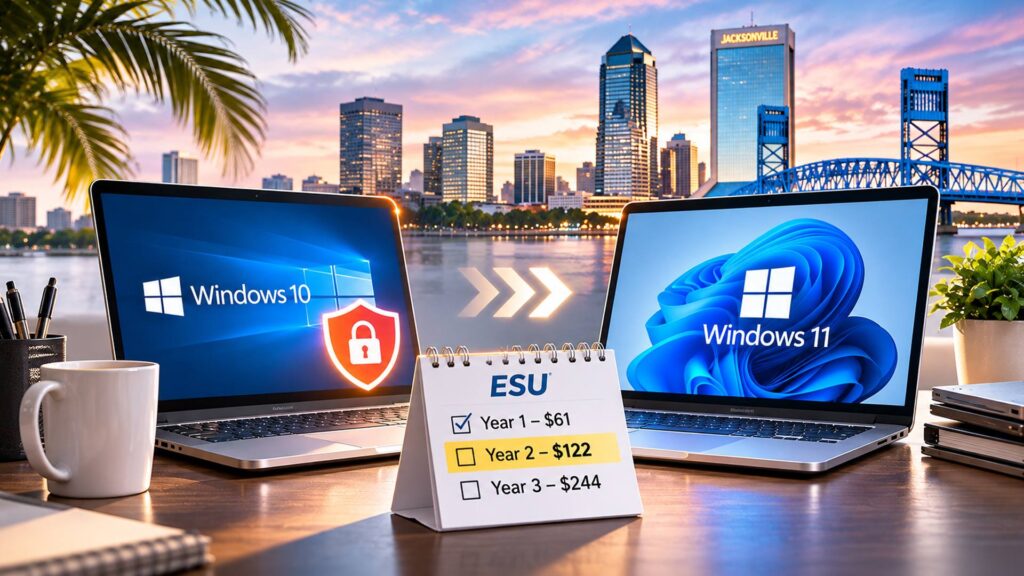
- Windows 10 ESU Year Two costs $122 per device, double the Year One price of $61.
- ESU only delivers security patches. It does not add new features or extend general support.
- Year Three, the program’s final year, costs $244 per device and ends October 10, 2028.
- For most businesses, Year Two is the point to start budgeting for replacement or migration rather than renewing indefinitely.
Where the Windows 10 ESU Program Stands Right Now
Microsoft ended mainstream support for Windows 10 on October 14, 2025. Extended Security Updates is the paid bridge program that keeps security patches flowing to eligible devices for up to three additional years, through October 2028.
ESU is strictly a security patch program. It does not include technical support for non-security issues, new features, or performance improvements. Businesses enroll it per device, and the price is structured to climb each year on purpose, pushing organizations toward migration rather than long-term reliance on the program.
What Year Two Actually Costs
Microsoft built ESU pricing to double every year, for a maximum of three years. Here’s the full schedule:
| Coverage period | Program year | Cost per device |
| October 14, 2025 to October 13, 2026 | Year 1 | $61 |
| October 14, 2026 to October 12, 2027 | Year 2 | $122 |
| October 13, 2027 to October 10, 2028 | Year 3 (final) | $244 |
Enrollment is cumulative. A business that skipped Year One and wants to enroll now must pay for both Year One and Year Two to get current, since Microsoft does not allow jumping straight into a later year alone. For a business with 40 affected devices, Year Two alone runs roughly $4,880, before counting any devices that still need Year One backfilled.
What Extended Security Updates Do and Don’t Cover
ESU is narrower than it sounds. It’s worth being clear about what it buys:
- Covered: critical and important security patches for Windows 10, classified the same way Microsoft classifies them for currently supported versions.
- Not covered: new features, non-security bug fixes, design changes, or general technical support.
- Not covered: compatibility work as other vendors (browsers, line-of-business software, security tools) phase out Windows 10 support on their own timelines.
That last point matters more each year. Even with ESU keeping Windows 10 patched, software vendors are independently deciding when to stop testing and supporting their products on it.
Three Paths Forward From Here
- Pay for Year Two and plan the exit. Reasonable for businesses that need a defined runway, such as finishing a hardware refresh cycle or budget cycle, as long as Year Two is treated as a deadline rather than a pause.
- Replace hardware that can’t run Windows 11. Many Windows 10 devices simply don’t meet Windows 11’s hardware requirements (TPM 2.0, specific processor generations). For those machines, replacement was always coming; ESU just delayed the bill.
- Upgrade in place where hardware qualifies. Devices that meet Windows 11’s requirements can often be upgraded directly, avoiding both the ESU fee and a hardware purchase.
Most businesses end up using a mix of all three: some machines upgrade for free, some need replacing, and a handful of exceptions (specialized equipment, legacy software) may justify one more year of ESU while a longer-term plan is worked out.
What Happens If You Do Nothing
Devices that fall out of ESU coverage keep running. They just stop receiving security patches entirely, on top of already being past general support. For a business handling client data, financial information, or any regulated information, that’s a growing and fairly visible liability, including in vendor security questionnaires and cyber insurance renewals that increasingly ask about supported operating systems directly.
How to Decide This Quarter
A short device inventory answers most of the question:
- Count how many devices are still on Windows 10.
- Check which of those meet Windows 11’s minimum hardware requirements.
- For the ones that don’t, estimate replacement cost against another year of ESU per device.
- Flag any devices running specialized or legacy software that complicates a straight upgrade.
That inventory turns a vague “we should deal with Windows 10 at some point” into a specific budget line with a deadline attached.
Frequently Asked Questions
$122 per device for businesses, double the $61 Year One price. Enrollment is cumulative, so a business enrolling late must also cover any prior unpaid year.
Yes. Year Three is the program’s final year, priced at $244 per device, and coverage ends October 10, 2028. After that, Microsoft has not announced any further extension for Windows 10.
No. ESU covers critical and important security updates only. It does not include general technical support, new features, or non-security fixes.
Not always. Windows 11 requires specific hardware, including TPM 2.0 and supported processor generations. Older devices often cannot be upgraded in place and need to be replaced instead.
It depends on the device count and age. A quick inventory of which devices qualify for Windows 11 usually makes the right path for each machine fairly clear.
Key Takeaways
- Windows 10 ESU Year Two is $122 per device, double the Year One price, and enrollment is cumulative.
- ESU only covers security patches, not support, features, or vendor software compatibility.
- Year Three, at $244 per device, is the program’s final year, ending October 2028.
- A short device inventory, checking Windows 11 eligibility, turns a vague concern into a specific budget decision.
- Doing nothing means devices lose security patching entirely once coverage lapses.
Next Steps
If you’re not sure how many of your devices are still on Windows 10, or which ones qualify for Windows 11, that’s a quick thing for us to check. Total Business Systems offers a free IT assessment to inventory your devices and map out the most cost-effective path forward. Call (904) 429-4660 to get started.
You can also explore our Managed IT Services to see how ongoing device and patch management is handled going forward.