
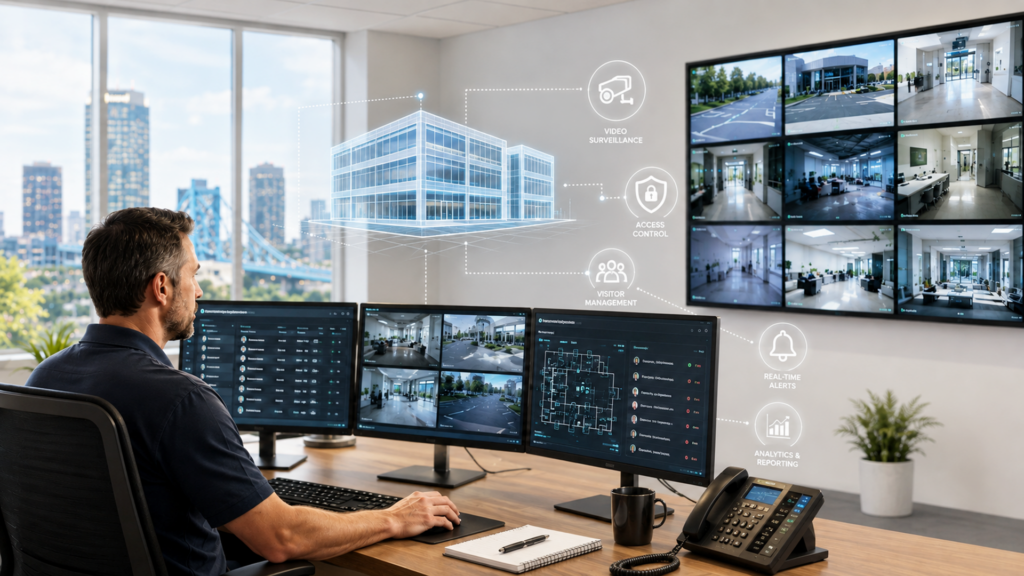
A break-in isn’t the only reason to invest in security cameras and access control. Missing inventory, disputed liability claims, and employees propping doors open for convenience quietly cost Jacksonville, FL businesses money every year.
Most owners don’t think about physical security until something goes wrong. By then, you’re choosing equipment under pressure instead of on your own terms.
Quick Answer
- Security cameras deter theft, document incidents, and protect you from false liability claims.
- Access control replaces keys with cards, fobs, or mobile credentials you can revoke instantly.
- Cloud-based systems let you view footage and manage access from your phone, from anywhere.
- Integration with your existing network matters more than the camera brand on the box.
- Many commercial insurers offer premium discounts for monitored, professionally installed camera and access control systems, on top of reduced shrinkage from fewer internal and external theft claims.
Why Physical Security Matters More in 2026
Businesses keep more sensitive material behind their doors than most owners realize. POS terminals, work laptops, signed contracts, and server closets all sit inside the same four walls a camera or badge reader protects.
Unauthorized building access has also become a cybersecurity issue, not just a physical one. Someone who walks into an unlocked server room can do as much damage as someone who breaches your network remotely.
Jacksonville’s mix of businesses raises the stakes further. Multi-site operators, like self-storage companies managing dozens of locations across the region, need centralized, audit-logged access control that a simple lock and key can’t provide. Contractors and vendors supporting the Navy and federal facilities around NAS Jacksonville and Naval Station Mayport are increasingly asked to prove documented access control and camera coverage, including systems like Lenel and LenelS2, before they can even bid on the work.
- Hybrid and remote work means fewer eyes on the building during normal hours.
- Insurance carriers increasingly ask for documented security measures before writing a policy.
- Employee turnover without a key-management process leaves old access hanging around indefinitely.
Risks and Compliance Issues Without Proper Coverage
Most businesses don’t notice the gap until they need footage that doesn’t exist or a lock that was never changed after an employee left.
- After-hours access with no record of who came and went.
- Liability disputes with no footage to confirm what actually happened.
- Insurance claims denied or reduced due to a lack of documentation.
- Former employees or contractors still holding a working key or fob.
- Restricted areas, like server rooms or file storage, with no access log at all.
What to Look for in a Camera System
The camera on the shelf at a big-box store is built for a house, not a business. Commercial video surveillance systems need to hold up to daily use and give you something usable when you actually need it.
- Ultra HD resolution that holds up on playback, with low-light and specialized imaging for parking lots, perimeters, and after-hours coverage.
- AI video analytics that detect people, motion, and activity automatically, instead of relying on someone to watch every feed.
- Human and vehicle tracking, including license plate recognition, so you can search footage by what actually happened instead of scrubbing through hours of video.
- PTZ (pan, tilt, zoom) and auto-tracking cameras for large or active areas like loading docks and warehouses.
- A cloud-managed platform for remote access, plus on-premises DVR or NVR storage where local recording makes more sense.
- Privacy and compliance controls, including audit logs, facial blur, and privacy zones, along with role-based access so only authorized users can view specific cameras.
- Ongoing system health monitoring, so a camera or storage failure gets caught before it becomes a blind spot.
What to Look for in Access Control
Access control is less about stopping a break-in and more about controlling who has access, and proving it later.
- Card, fob, or mobile credential options depending on how your team already works.
- An audit log showing exactly who entered which door and when.
- Instant revocation when someone leaves the company, no re-keying required.
- Integration with your onboarding and offboarding process so access changes automatically.
The Cost of Waiting
A single unresolved incident, whether it’s a theft, a liability claim, or a compliance gap, usually costs more than the system would have. Re-keying a building after a departure, defending a claim with no footage, or explaining to an auditor why sensitive files sit behind an unlocked door all add up fast. Insurers generally view burglary and theft as a meaningful share of all commercial claims, which is a large part of why a documented, monitored system tends to affect the premium you’re quoted, not just the risk you’re carrying.
A Practical Framework for Getting Started
Step 1: Assessment
Walk the property, map every entry point, and identify blind spots cameras currently miss.
Step 2: Risk Identification
Decide which doors need access control and which areas need camera coverage, based on what’s actually at risk.
Step 3: Implementation
Install cameras and access hardware, then integrate both with your existing network rather than running them as standalone systems.
Step 4: Monitoring
Review footage and access logs on a regular basis, with alerts set up for after-hours entry.
Step 5: Continuous Improvement
Update access lists as staff changes, expand coverage as the business grows, and revisit the system annually.
Why This Works Better Through an MSP
A standalone camera installer sets up hardware and moves on. A managed IT provider that already manages your network builds security cameras and access control into the same system it’s already monitoring, which means one point of contact instead of three vendors pointing fingers when something goes wrong.
Total Business Systems has provided IT and security services to Northeast Florida businesses since 1991, and today that includes designing, installing, and managing video surveillance and access control systems across retail, industrial, corporate, and government-adjacent environments. Surveillance, access control, and managed IT run as one integrated system rather than three separate vendors, with the network and cybersecurity expertise to make sure a camera system doesn’t become its own unmanaged risk.
Real-World Applications by Industry
Healthcare
Restricting access to rooms where patient records are stored, supporting HIPAA physical safeguard requirements.
Finance
Documenting access to areas handling cash or sensitive client data.
Legal
Protecting client files and privileged documents behind controlled access.
SMB Retail
Reducing shrinkage and holding employees accountable with clear footage.
SaaS Companies
Logging every entry to server rooms and data closets.
Manufacturing and Defense-Adjacent Contractors
Protecting equipment, inventory, and restricted production zones, including the documented access logs that Navy and federal contract work near Mayport increasingly requires.
Frequently Asked Questions
Cameras record what happens. Access control decides who’s allowed in before anything happens. Most businesses benefit from both working together.
If more than a few people hold keys, or if you’ve ever had to re-key after someone left, access control solves a problem cameras can’t.
Yes. A cloud-managed platform lets you view live and recorded footage, manage alerts, and share access securely with managers or security teams from any browser or mobile device.
Retention depends on whether you’re on a cloud platform or an on-premises DVR/NVR system, and how much storage your plan includes. A site assessment will confirm what’s realistic for your footage needs.
Yes. Both HIPAA and PCI-DSS expect documented control over who can physically reach sensitive data or payment systems, and access logs help demonstrate that.
Cost depends on the number of doors, cameras, and whether you need cloud storage. A site assessment gives you an accurate number instead of a guess.
Total Business Systems handles the full lifecycle, from site assessment and system design to installation, user setup, and ongoing system health monitoring, so the system stays functional instead of becoming another piece of forgotten hardware.
Conclusion
Security cameras and access control aren’t just about stopping a break-in. They’re about proof, accountability, and control over who has access to your building and everything inside it.
Total Business Systems has provided IT and security services to Jacksonville, FL businesses since 1991. Schedule a free assessment to see exactly what your building needs, and what it doesn’t.
Call (904) 429-4660 to schedule your consultation, or reach out through the contact form to get started.